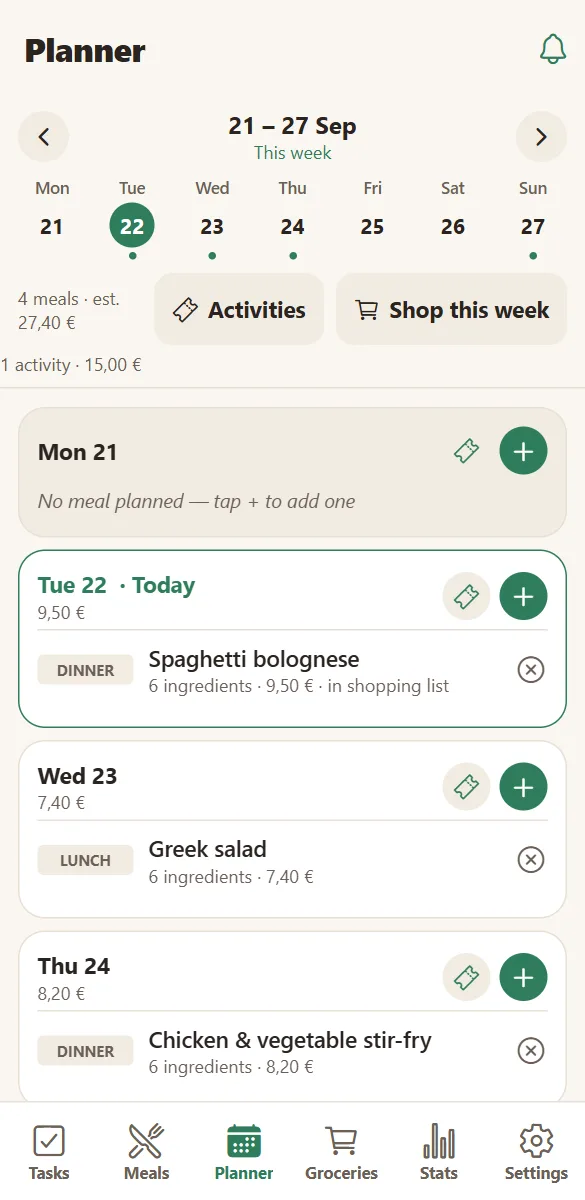
Coordinate the week without keeping it all in your head.
Work, school, meals, shopping, appointments, and the small stuff nobody else sees. HomeLifePlanner gives all of it one place, so the plan does not depend on you remembering it at 11pm.
The five minutes that save the week
A short Sunday routine most households settle into.
Put the week down
Four or five dinners on the day cards. Not seven — leave room for real life.
Send it to the list
One tap turns the planned meals into a shopping list, merged and sorted by aisle.
Share three chores
The ones that always fall on the same person. Give them an owner and a day.
Book one good thing
A park, a film, a swim. It takes a minute and it is the part everyone remembers.
Let everyone read it
No briefing needed: the household opens the app and knows the plan.
Let the assistant type
Paste a recipe, paste a list. The boring transcription is done for you.
Things that stop falling through
The point is not productivity. It is that the household stops running on one person’s recall — the dentist appointment, the field trip form, the fact that there is no more rice.
When it is written down where everyone can see it, other people can pick it up without being asked.
- Overdue tasks are visible to the whole household, not just to you.
- Whoever is near the shop can finish the shopping.
- Whoever gets home first knows what is for dinner.
- Birthdays produce their own reminder on the day.
Questions families ask
Can several people use the same household?
Yes — that is the point. One person creates the household, everyone else joins with the invite link or the six-letter code and picks their name. Changes appear on every phone in about a second. A household holds up to 12 devices.
Can I use it on my phone?
Yes. HomeLifePlanner is a web app: open it in your browser and add it to your home screen in about 30 seconds — on Android from the Chrome menu, on iPhone from Safari’s Share menu. It then behaves like any other app, with notifications and a full-screen window.
How long does it take to set up?
About three minutes: create the household, share the code, add a couple of meals and chores. There is nothing to configure before you can use it.
Will my family actually use it?
The usual pattern: one person sets it up and the rest start with the shopping list, because it is immediately useful to them. Tasks and meals follow once it is on their home screen.
Keep exploring
Give the week a single home.
Write down this week’s dinners and the two chores on your mind. That is enough to start.
Free to start. No credit card. Works on any phone, tablet or computer.