Home For families Families with children
For families with children

Everyone can see the plan — including the kids.

Chores with names and colours, meals on the fridge (well, on the phone), activities to look forward to, and a household that runs without a daily briefing.

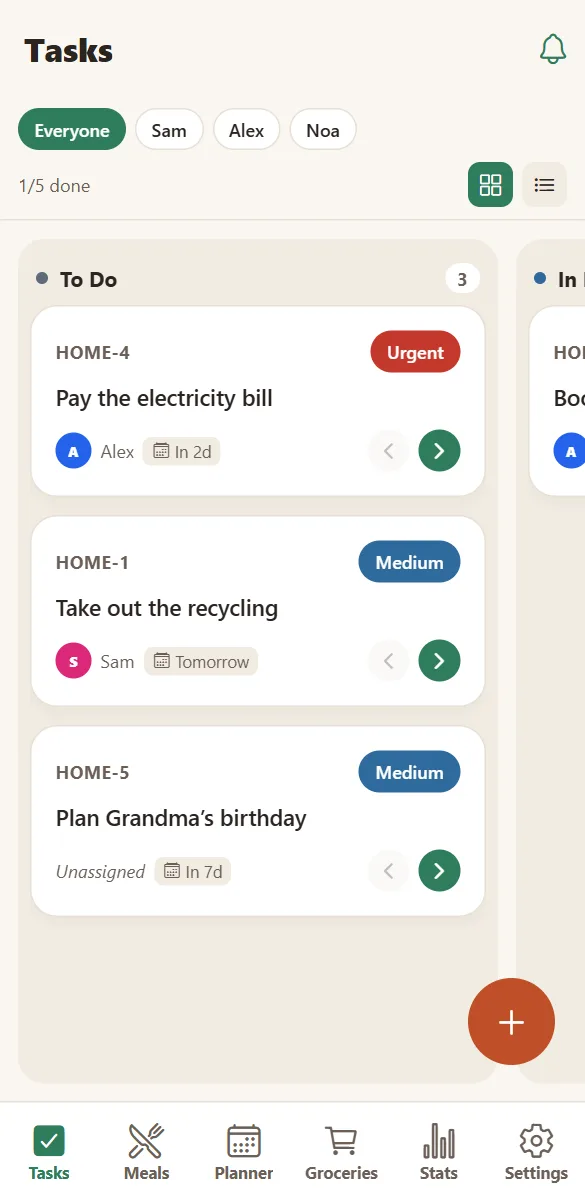
The family task board with to do, in progress and done columns
Chores with names
The weekly planner in HOME showing meals and a family activity on a phone
The family week

Made to be readable by the whole house

A colour per person

Every member has a name and a colour used across tasks, meals and activities — easy to read at a glance.

Chores children can own

Assign age-appropriate tasks. Moving a card to “done” is oddly satisfying at any age.

Dinner is not a mystery

The week’s meals are visible to everyone, which also ends the after-school question.

Something to look forward to

Plan the weekend together and let everyone see it coming.

Birthdays handled

Reminders appear on the day, with a task so the calls actually happen.

Surprises stay secret

Limit a task or an activity to some members when a present is involved.

Shared, safe and simple

There is no public profile, no feed, no messaging with strangers and no advertising profile built on your family. A household is a closed space that only its members can read.

Children join with the same code on a phone or tablet, pick their name, and see only what the household has.

  • No email or password needed.
  • A household can hold up to 12 devices.
  • Notifications are per device and optional.
  • A full export of your family’s data whenever you want it.
Read the privacy policy
Household settings with family members, devices and birthdays

Questions families ask

Can children have their own tasks?

Yes. Give each child a member name and colour, then assign tasks to them. They see the board on their own device once they join with the household code.

Is there anything unsafe for children?

There is no public profile, no chat with strangers and no social feed. A household only sees its own content, and the shared-recipe links you create are the only thing that can be seen from outside.

Is HomeLifePlanner free?

Yes. Tasks, planner, meals, groceries, activities, statistics and sharing are free, with 200 MB of photo storage per household. Premium (4,99 € per month for the whole household) removes the ads, lifts the storage limit and includes the AI assistant.

Does it work in my language?

The app is available in English, French and Spanish. Each phone can choose its own language, and notifications follow that choice.

Make the family week visible to the whole family.

Set it up once and let everyone read the plan instead of asking for it.

Free to start. No credit card. Works on any phone, tablet or computer.