Home Household planner
Household planner

Run the house without running the whole house in your head.

Chores, meals, shopping and what it all costs — in one shared app that the people you live with will actually open.
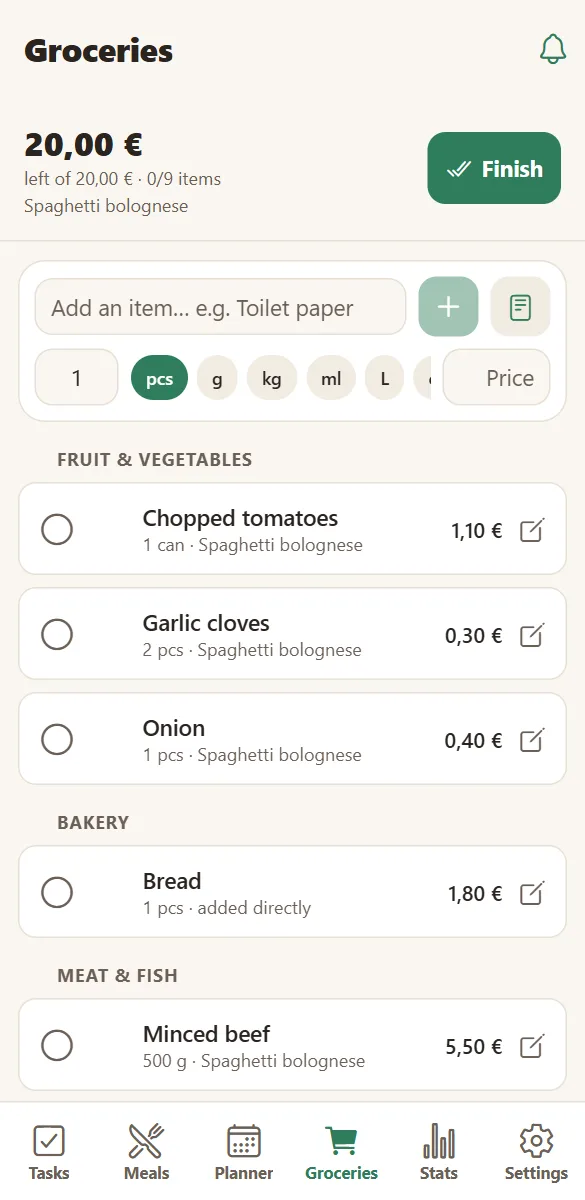
A shared grocery list grouped by supermarket aisle on a phone
What to buy
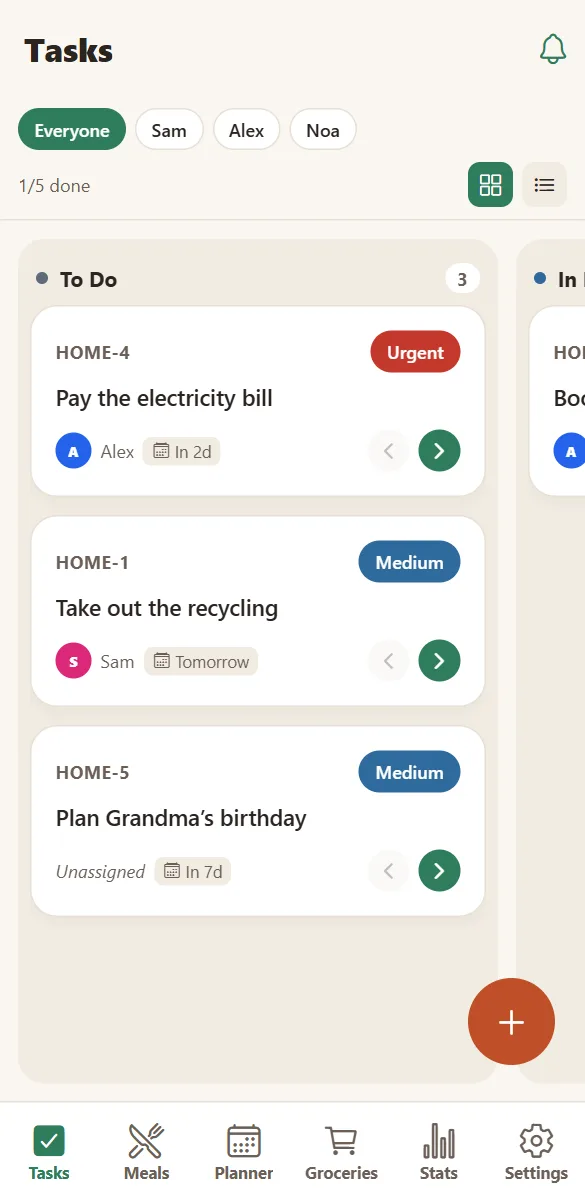
The family task board with to do, in progress and done columns
What to do

Know what the household spends, without a spreadsheet

Prices live on the ingredients, so a planned week already knows roughly what it will cost. Activities carry their own cost, and the statistics add it all up by week, month and year — in your household’s currency.

It is deliberately simple: no bank connection, no budgeting theory. Just the numbers that come from what you already planned.

  • Weekly food cost from your own prices.
  • Cost per portion on every recipe.
  • Activity spending, alongside the meals.
  • A per-person view of chores completed.
Household statistics: tasks done per person and food spending

Private by default, and yours to take away

A household only ever sees its own data — enforced by the database, not just by the interface. No email address is collected, and the only measurement is that the app was opened.

You can export a complete copy of everything at any time, and deleting the household deletes its content, photos included.

  • Row-level security per household.
  • Full JSON export from Settings → Data & backup.
  • 200 MB of photos free per household; Premium lifts the limit.
  • A clear data policy in plain language.
Read the privacy policy
Household settings with family members, devices and birthdays

Up and running in three minutes

No email, no password, no credit card. A household is created in one tap.

Create your household

Give it a name — “The Smiths”, “Rue Lepic 12”. HOME sets up your shared space instantly.

Invite the family

Share the invite link or the six-letter code. Everyone picks their name and colour on their own phone.

Plan life together

Add tasks, meals, the week and what you want to do. Everything appears on every phone as you type.

Questions about running a household in one app

Can I track what we spend on food?

Yes. Ingredients carry prices, so each recipe shows a cost per portion and the planner estimates the cost of the week. Statistics total food and activity spending by week, month and year.

Can children have their own tasks?

Yes. Each family member gets a name and a colour, and tasks can be assigned to them. A child using a phone or tablet joins the household with the same code and sees the tasks that are theirs.

What happens to our data if we stop using it?

Nothing is deleted behind your back. You can export everything as a JSON file, and deleting the household removes its content and photos. Notification history and finished shopping lists are kept for 12 months by design.

Is HomeLifePlanner free?

Yes. Tasks, planner, meals, groceries, activities, statistics and sharing are free, with 200 MB of photo storage per household. Premium (4,99 € per month for the whole household) removes the ads, lifts the storage limit and includes the AI assistant.

Do I need to create an account?

No email or password is needed. Your phone signs in anonymously and joins a household with a code, so you can be set up in under a minute.

Does it work in my language?

The app is available in English, French and Spanish. Each phone can choose its own language, and notifications follow that choice.

Give the household one place to live.

Set it up in three minutes and see what the week looks like when everything is written down once.

Free to start. No credit card. Works on any phone, tablet or computer.